Reception & patient registry
Register patients with IDNP and documents, open visits, see unpaid services at a glance and send patients on to doctors and the lab.
Reception, consultations, laboratory, billing and reports — connected end to end. Built in Moldova for private clinics, diagnostic centres and hospitals, with multilingual support and three built-in languages: Romanian, Russian and English.
Start with the modules you need today and add more as the clinic grows.
Analyzer results arrive automatically over ASTM and HL7 — no retyping.

Medical teams already working with MedProject solutions: Institutul de Medicină Urgentă Repromed
Each module works on its own and shares one patient record with the rest. Pick a plan, or assemble exactly the set you need.
Register patients with IDNP and documents, open visits, see unpaid services at a glance and send patients on to doctors and the lab.
Patients book online with a doctor or an office; reception confirms, moves or cancels; schedules for doctors and offices; SMS and email reminders.
Configurable consultation types in guided steps: complaints, history, examination, orders, prescriptions, diagnosis and a printable exam sheet.
Electronic prescriptions with dosage, frequency, route and duration, including reimbursed (compensated) drugs.
Price lists, discounts and VAT, payment slips and fiscal receipts, cash or card, refunds, X and Z reports.
Report center with filters, saved column layouts per user, Excel export and print; dashboards for every department.
Generated PDFs, uploaded files, workflow states and tasks — every document attached to the right patient.
Users, roles and per-module permissions, Active Directory sign-in, translations and live service monitoring.
Imaging and functional diagnostics by doctor, office and equipment type, with conclusions and payment status.
Collection points, barcode tube labels and scanning, batches and refused samples.
Work lists, validation, reference ranges by age and sex, out-of-range flags, antibiograms, internal and external labs.
Personnel files, contracts, HR orders from templates, leave, sick leave and staff schedules.
Registry of medical equipment with calibration, maintenance and metrological checks on schedule.
Drugs and supplies catalog, units and average prices, reimbursed drug lists by diagnosis and age.
Studies from CT, MRI, X-ray and ultrasound equipment, archived in DICOM, linked to the patient and opened in a professional viewer.
We build custom modules, forms and integrations on the same platform — for your specialty, your documents and your equipment.
Real MedClinic screens, shown with demo data.
Reception registers the patient once — every department works with the same record.
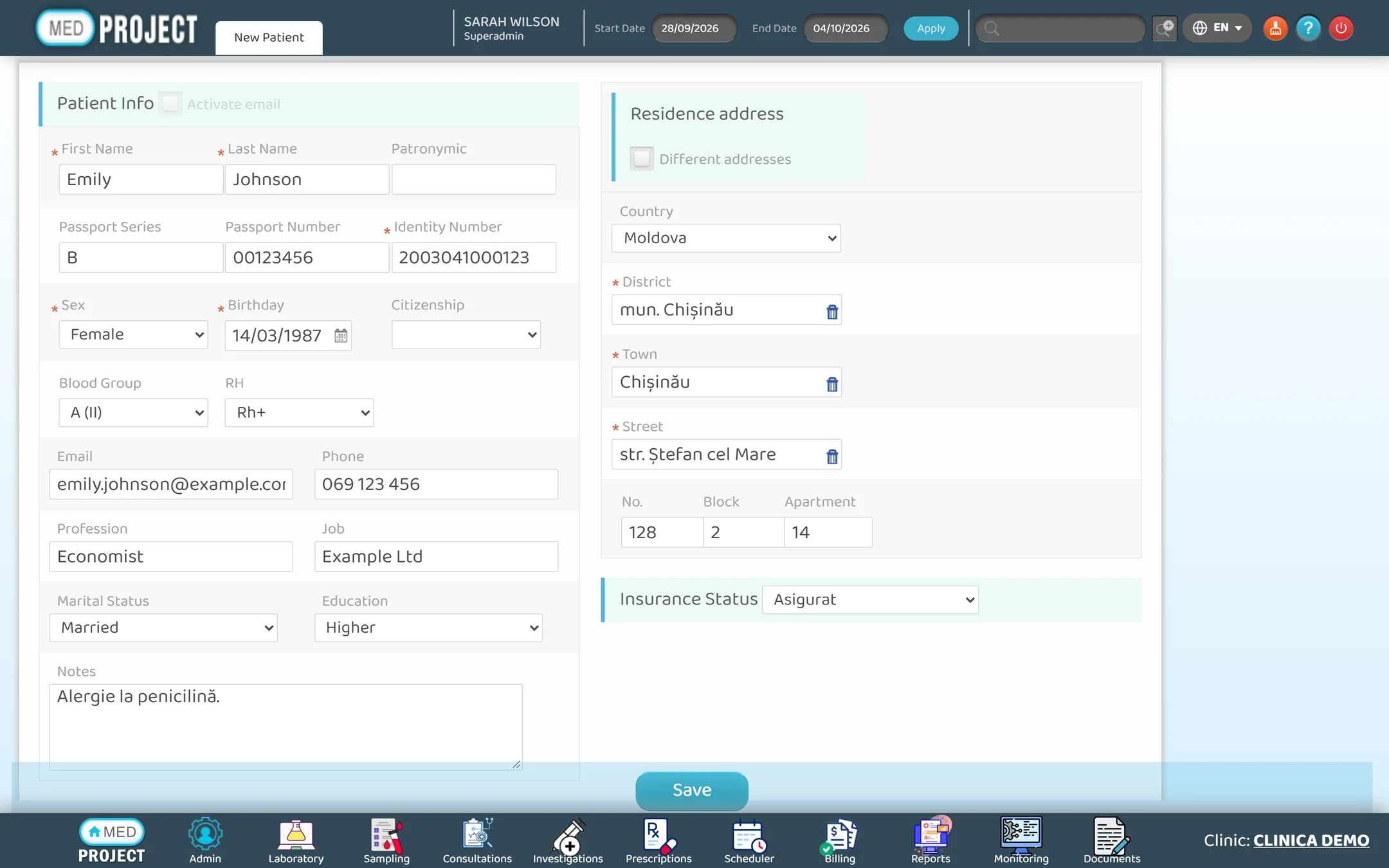
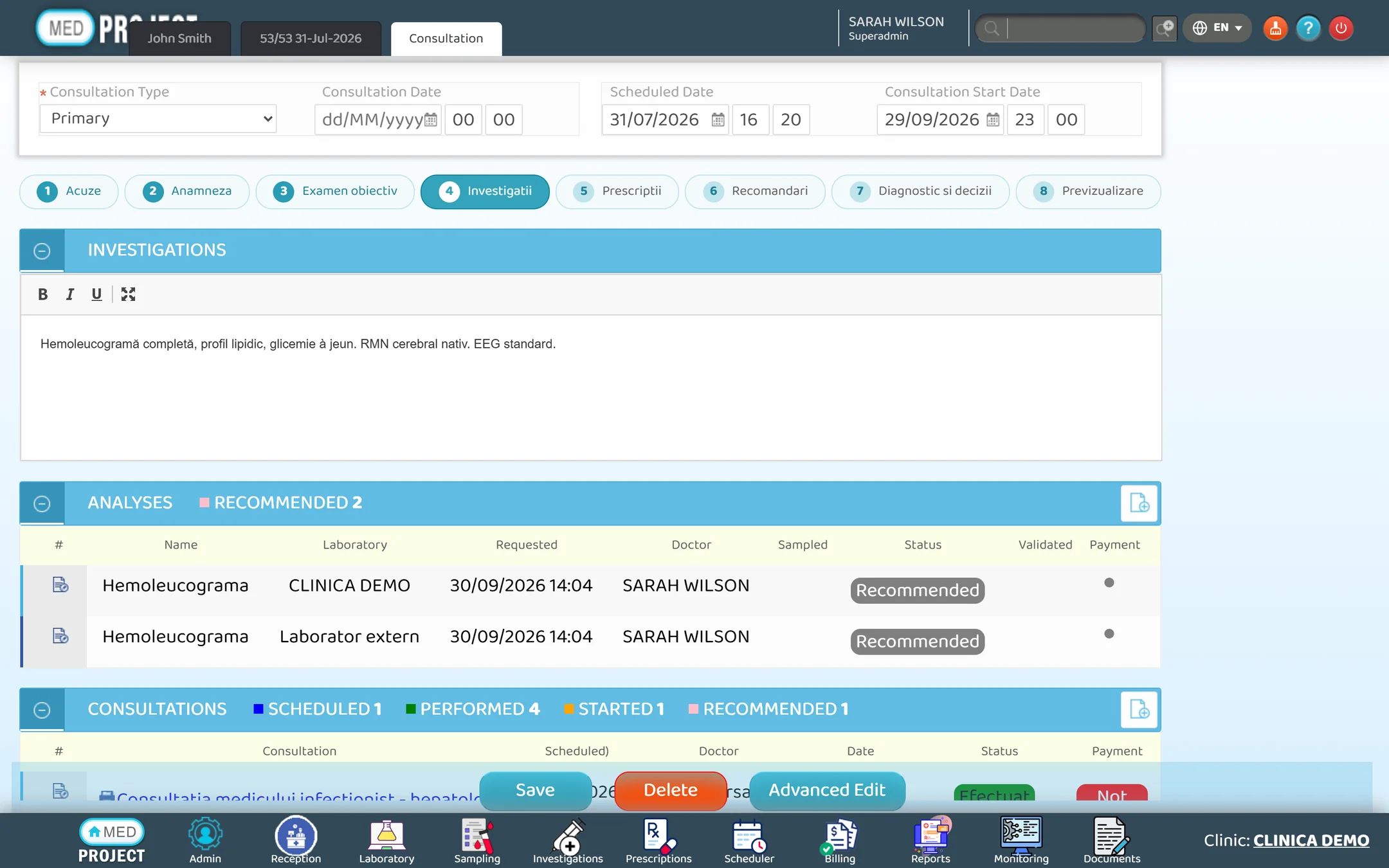
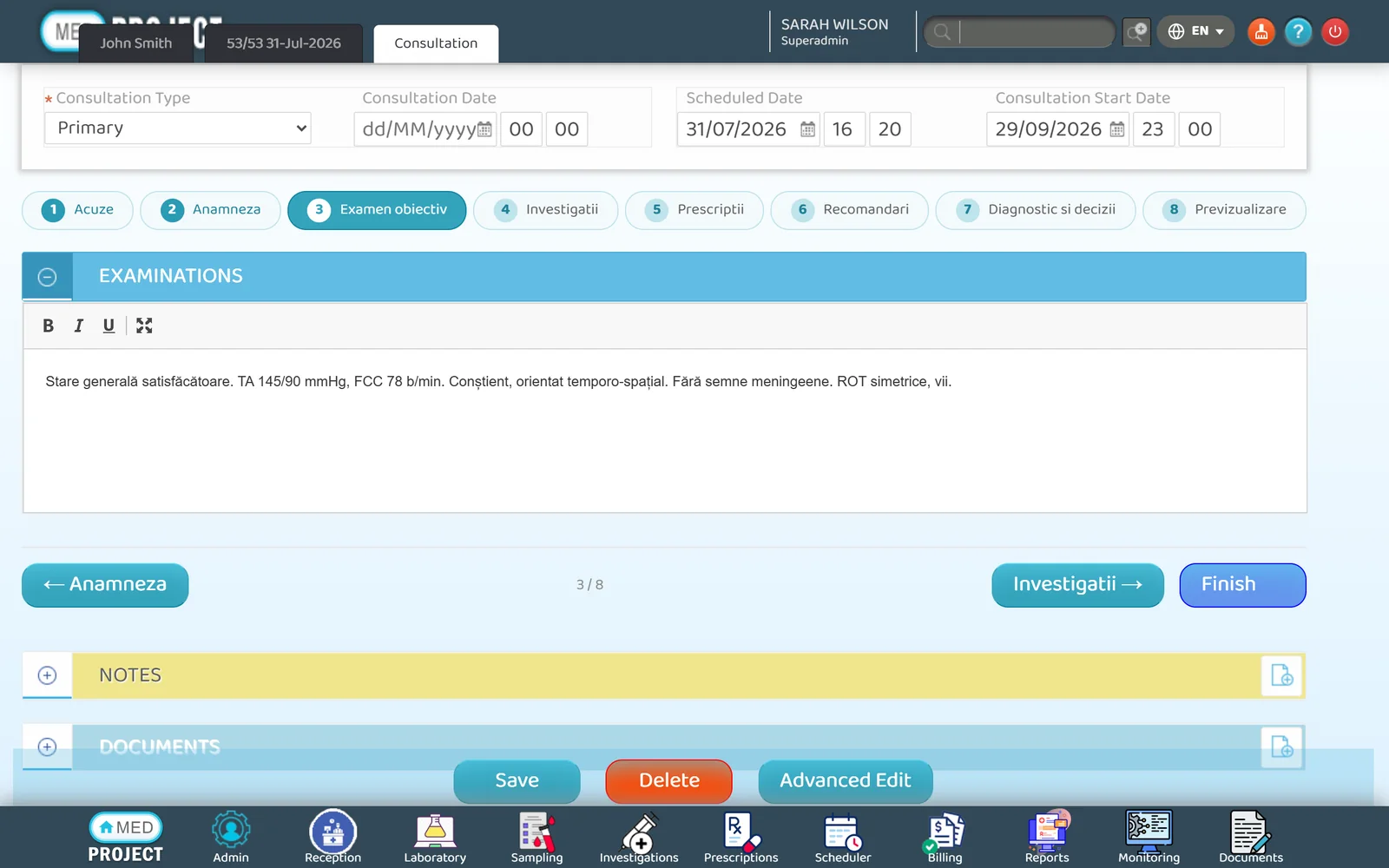
Each consultation type has its own steps, so doctors follow the same structure and nothing gets skipped.
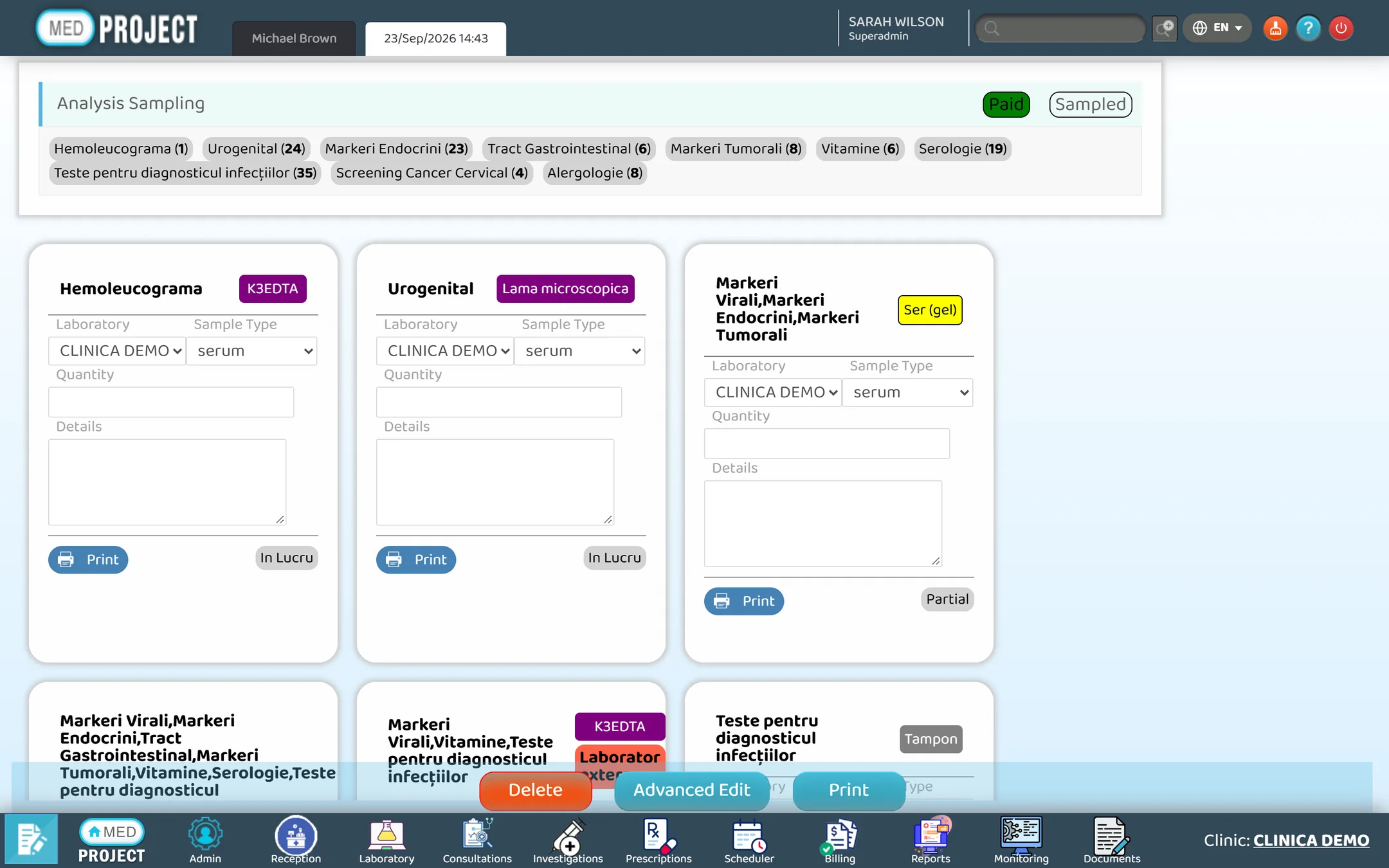
Lab staff see every pending sample and result — internal or sent to an external lab.
Every service ordered is priced automatically and lands on the patient's receipt.
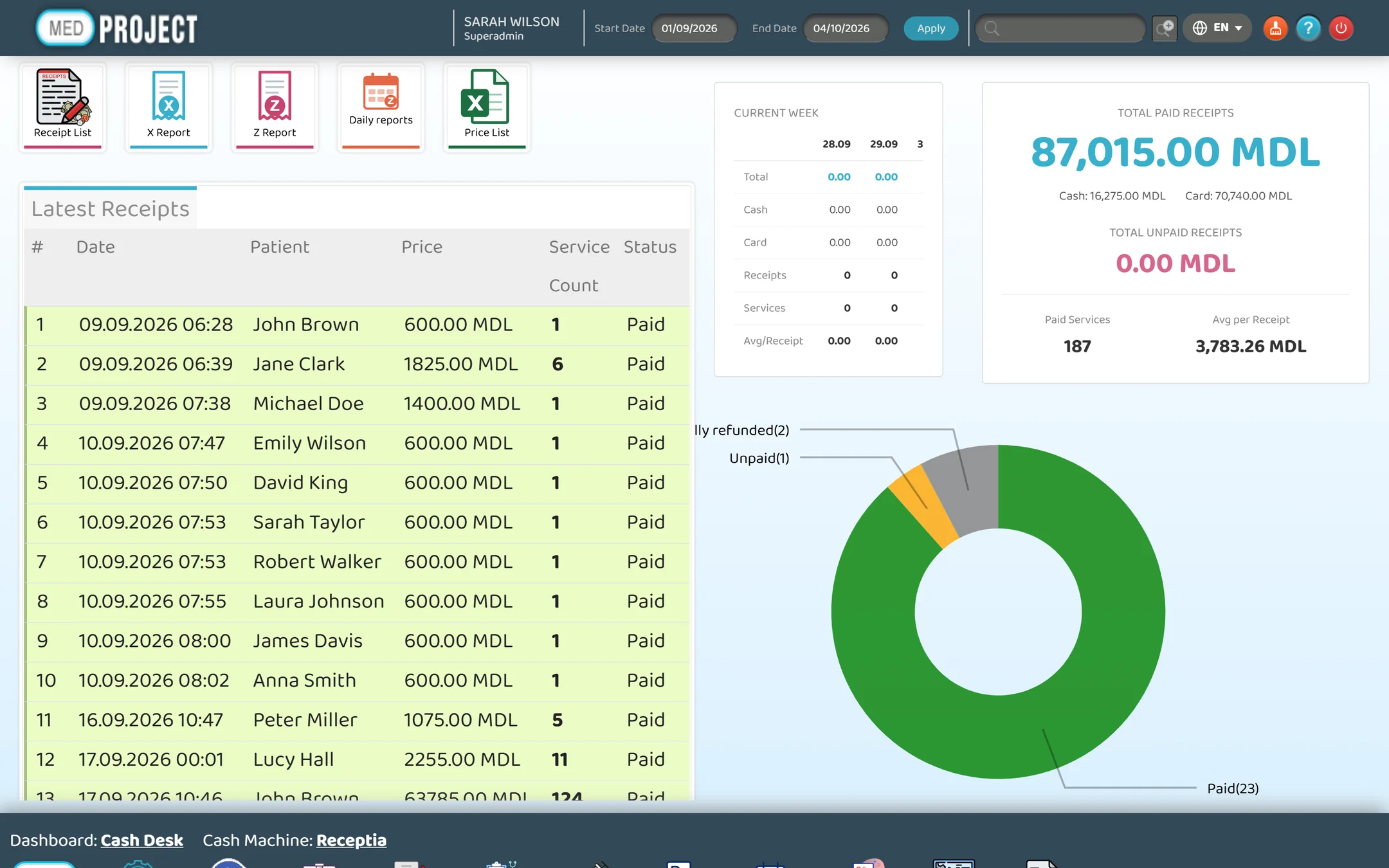
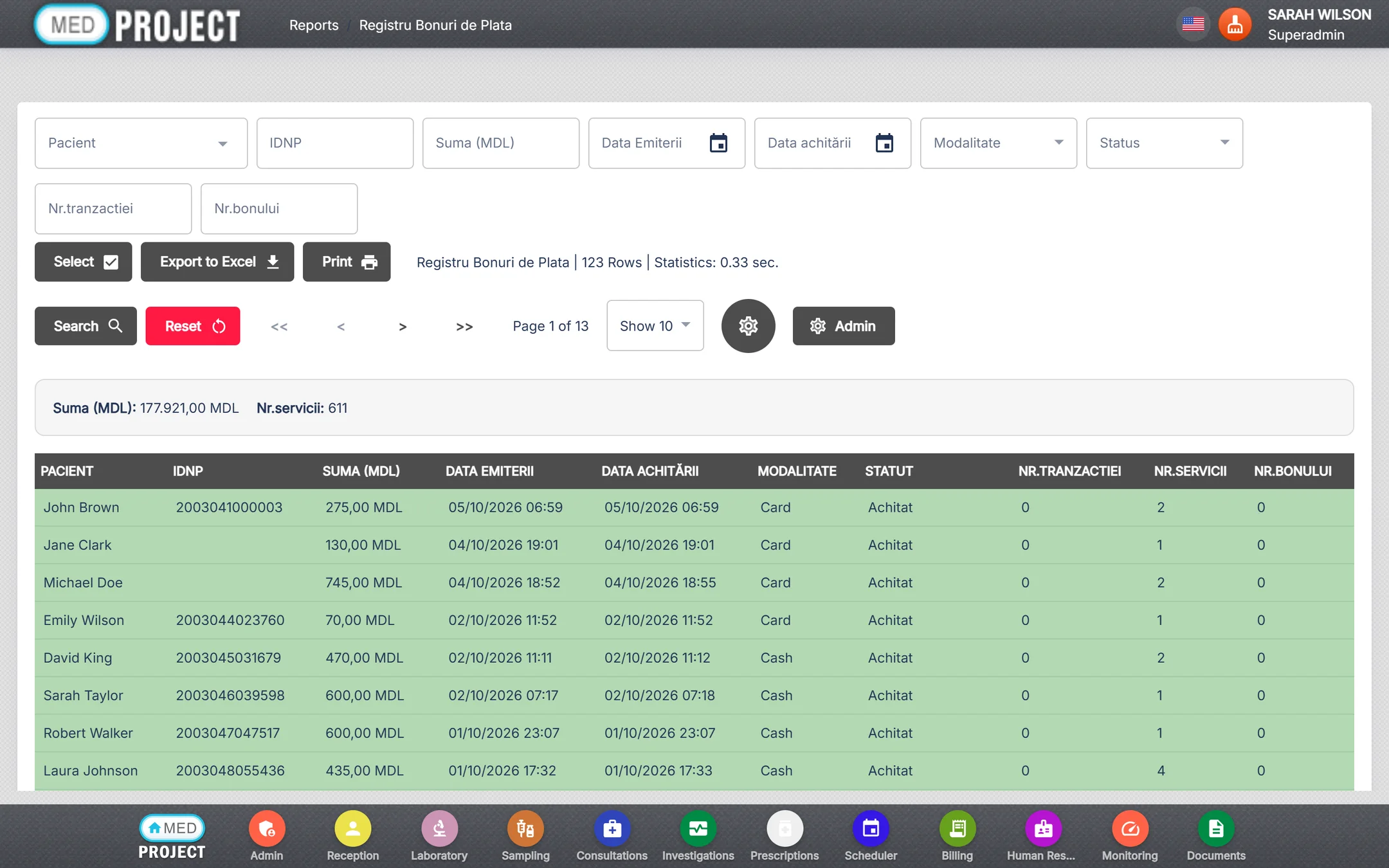
The report center covers visits, patients, receipts, lab and consultations — with a filter on every column.
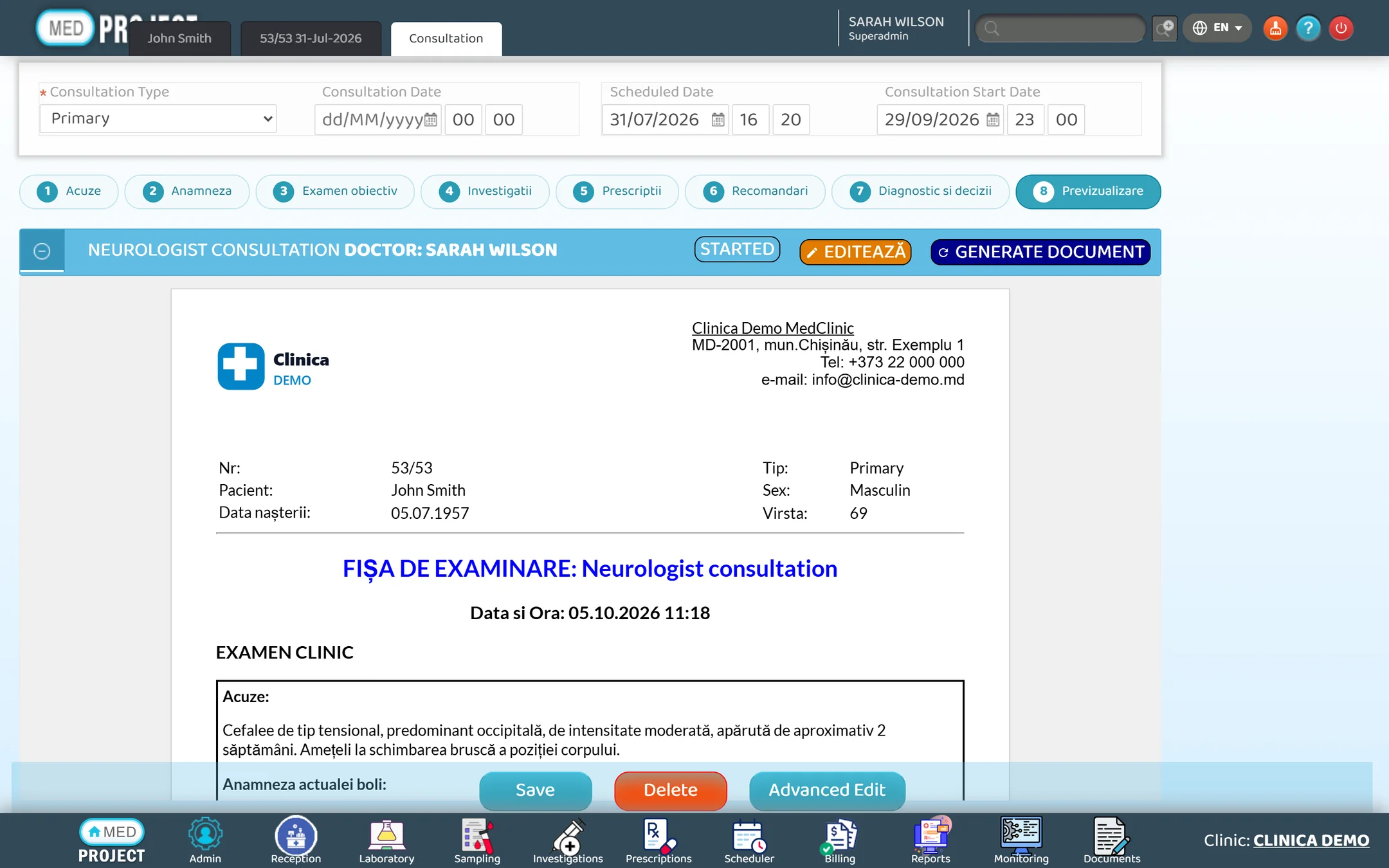
Consultation types are configured per specialty. Here is a neurology consultation, step by step.
MedClinic runs in the browser — nothing to install on doctors' computers. Use it on a desktop, a laptop or a tablet in the exam room.
The equipment integrator talks to analyzers directly and in both directions: orders go out, results come back.
Studies arrive straight from CT, MRI, X-ray and ultrasound equipment, are archived in DICOM and appear in the patient's record — with a professional viewer one click away.
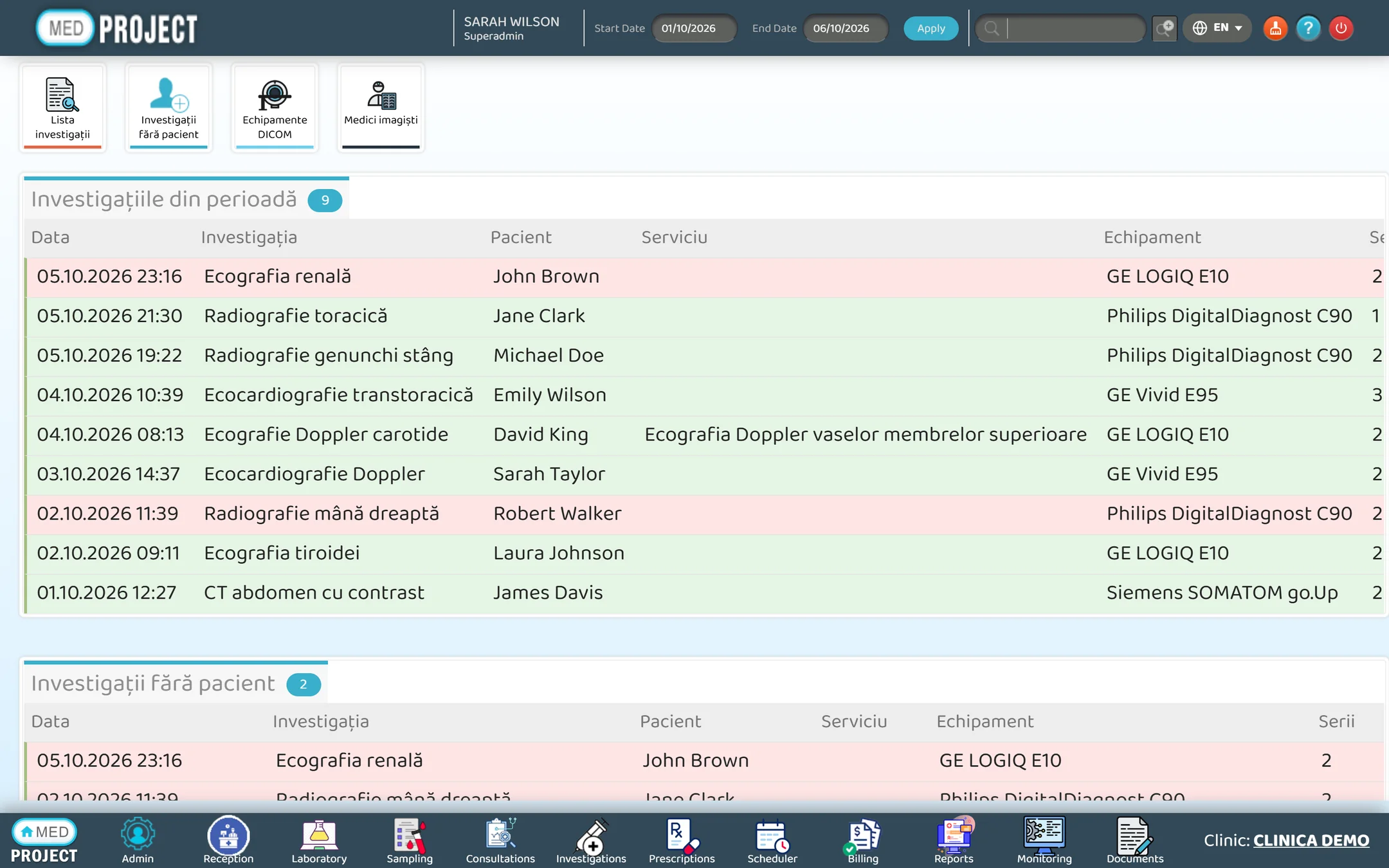
The imaging dashboard lists the studies of the period by equipment, with the patient, the service and the number of series.
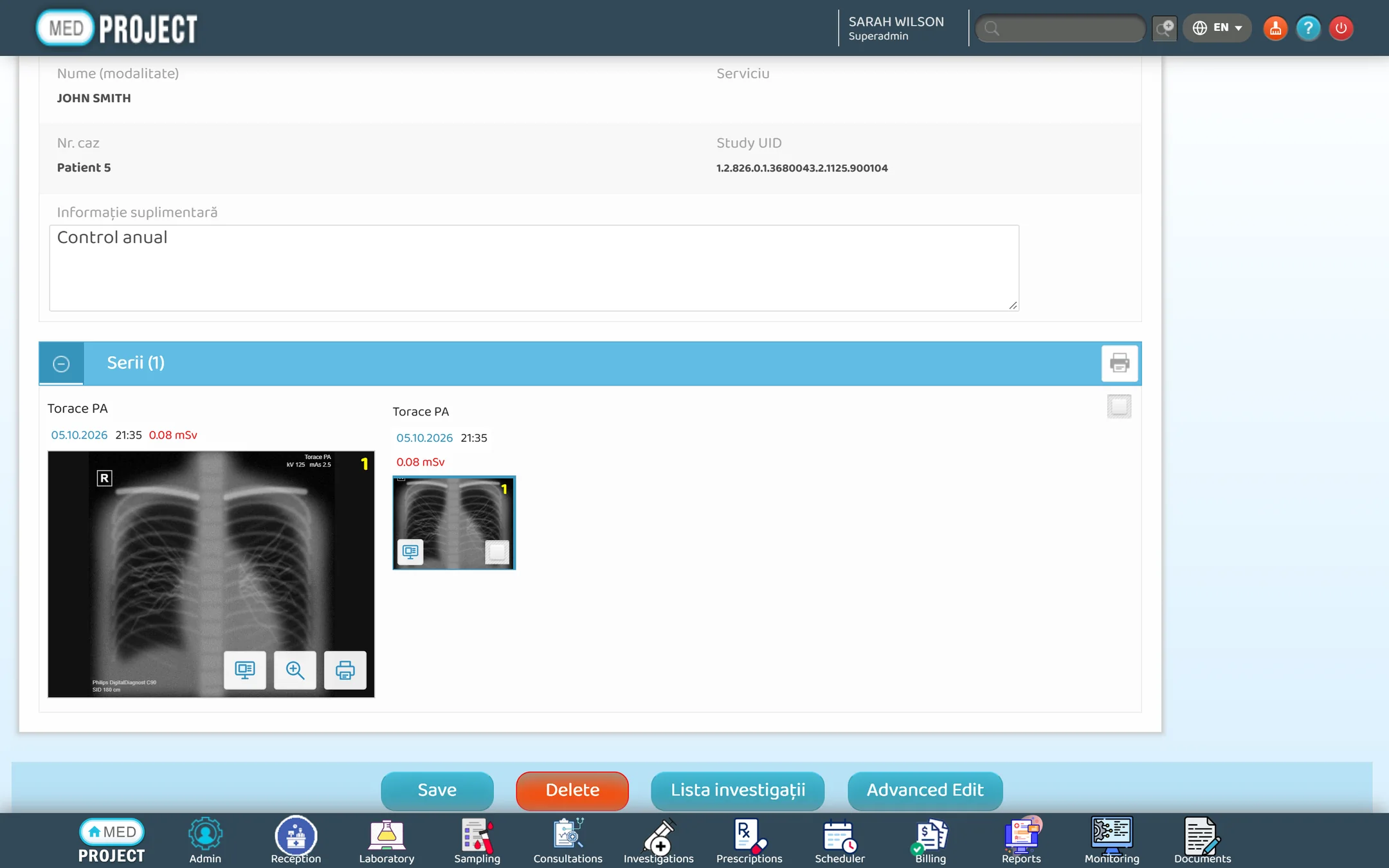
The study page shows every series with date, time and dose; Advanced Viewer opens it in the DICOM Viewer on the radiologist's workstation.
A desktop viewer for radiologists: the last patients' series next to the image, measurements, multiplanar and 3D reconstructions.
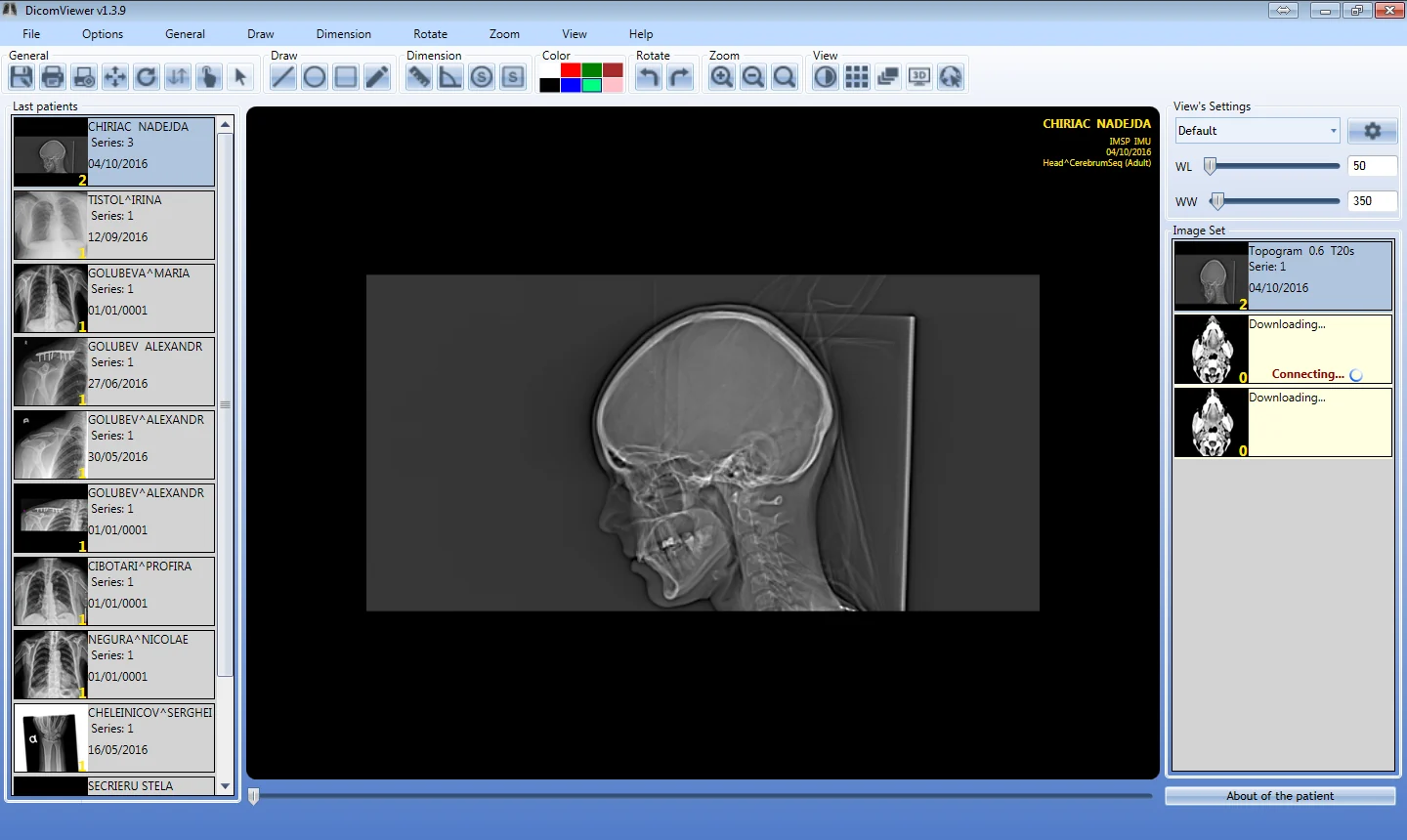
The last patients and their series next to the image, with window level and width at hand.
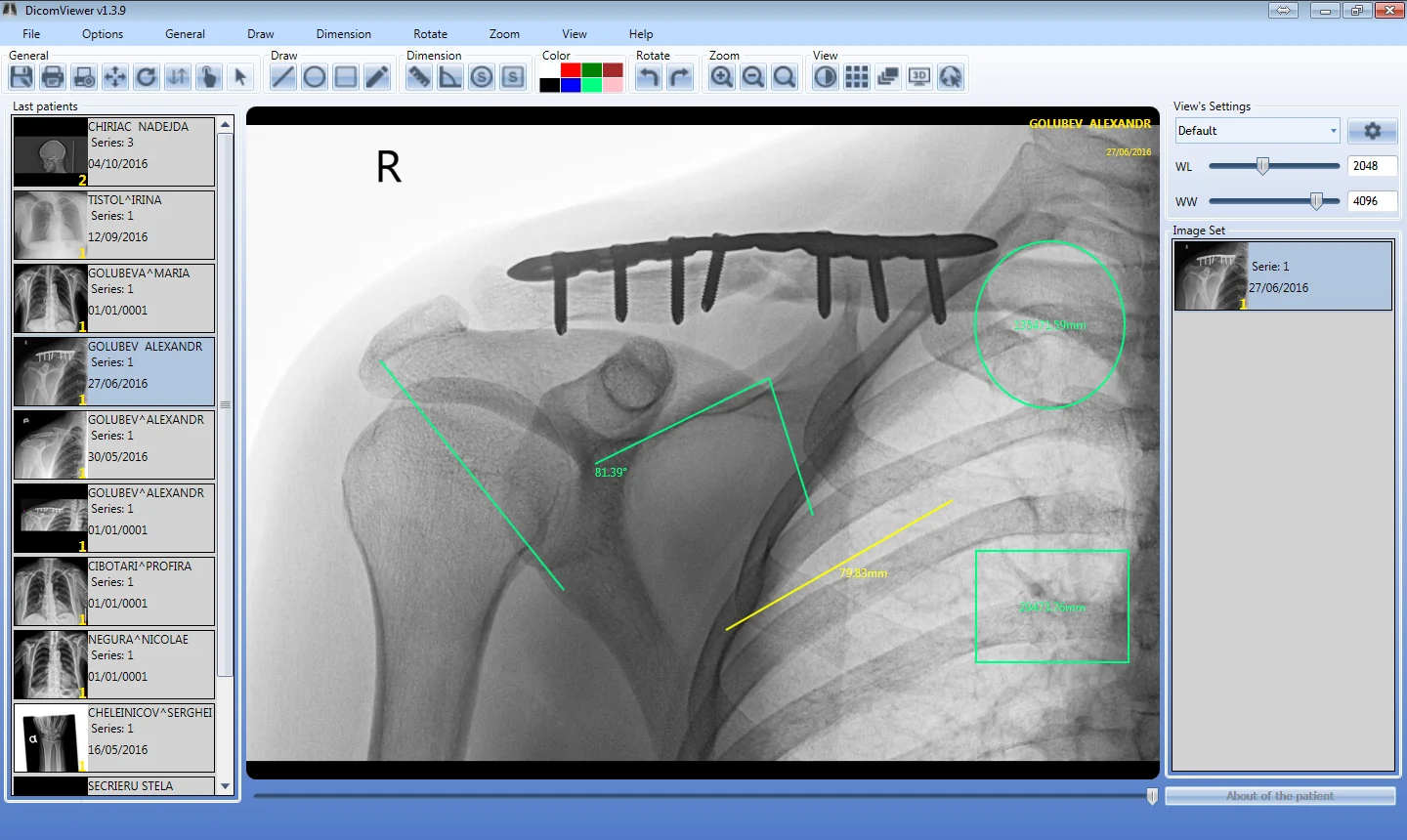
Lengths, angles, circles and rectangles drawn and measured on the image.
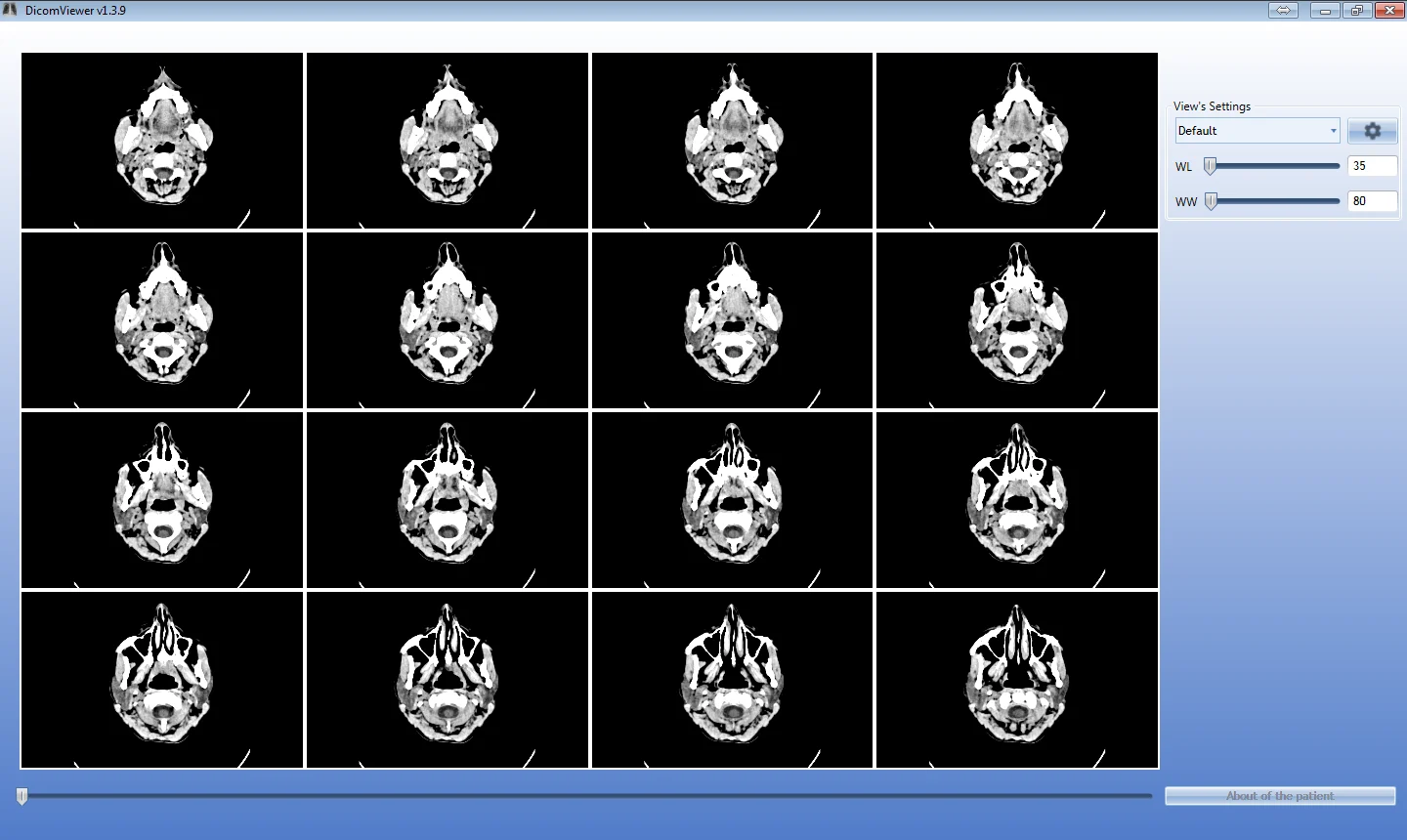
A whole CT series in an n×n grid, with a slider through the slices.
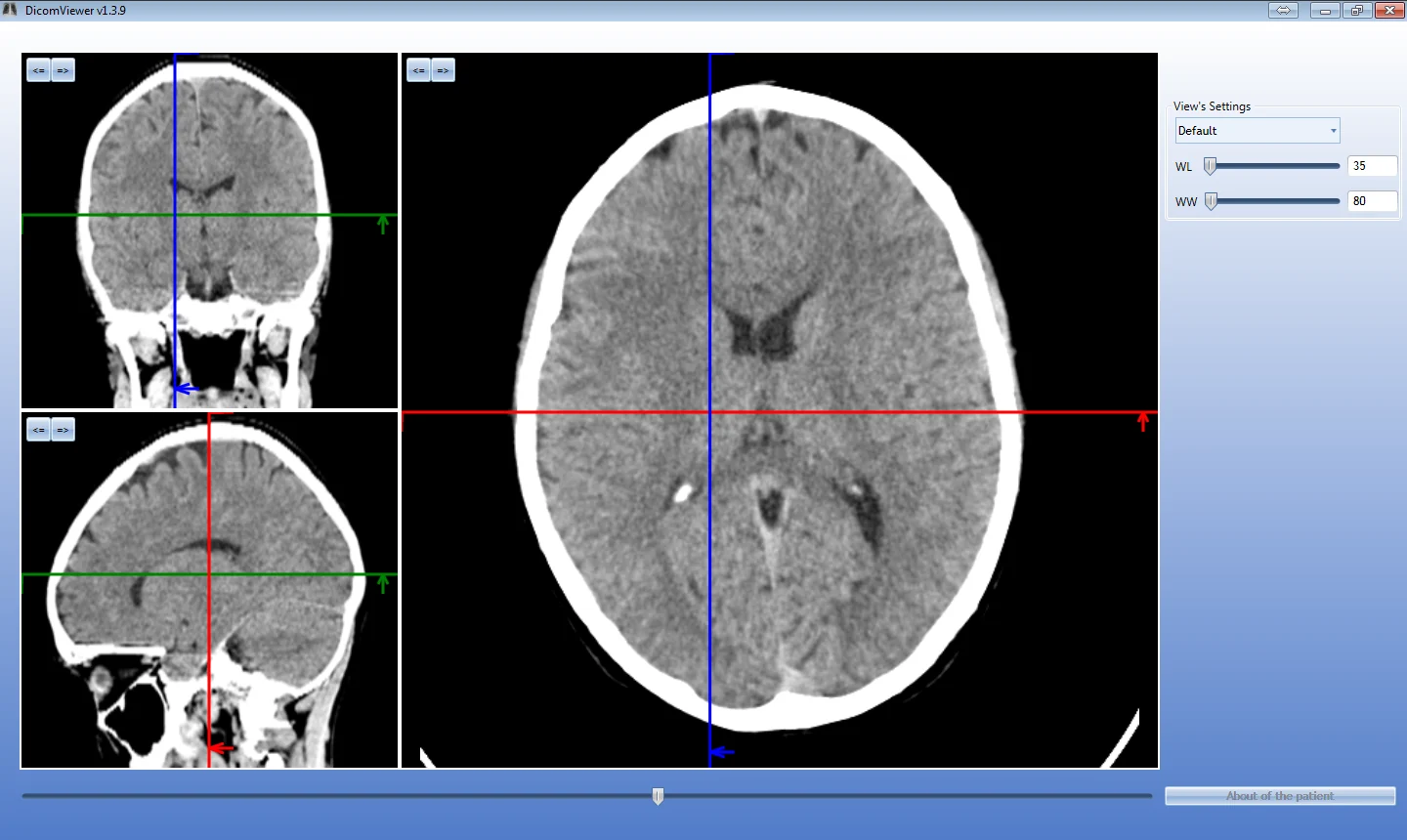
Multiplanar reconstruction in three planes, linked by reference lines.
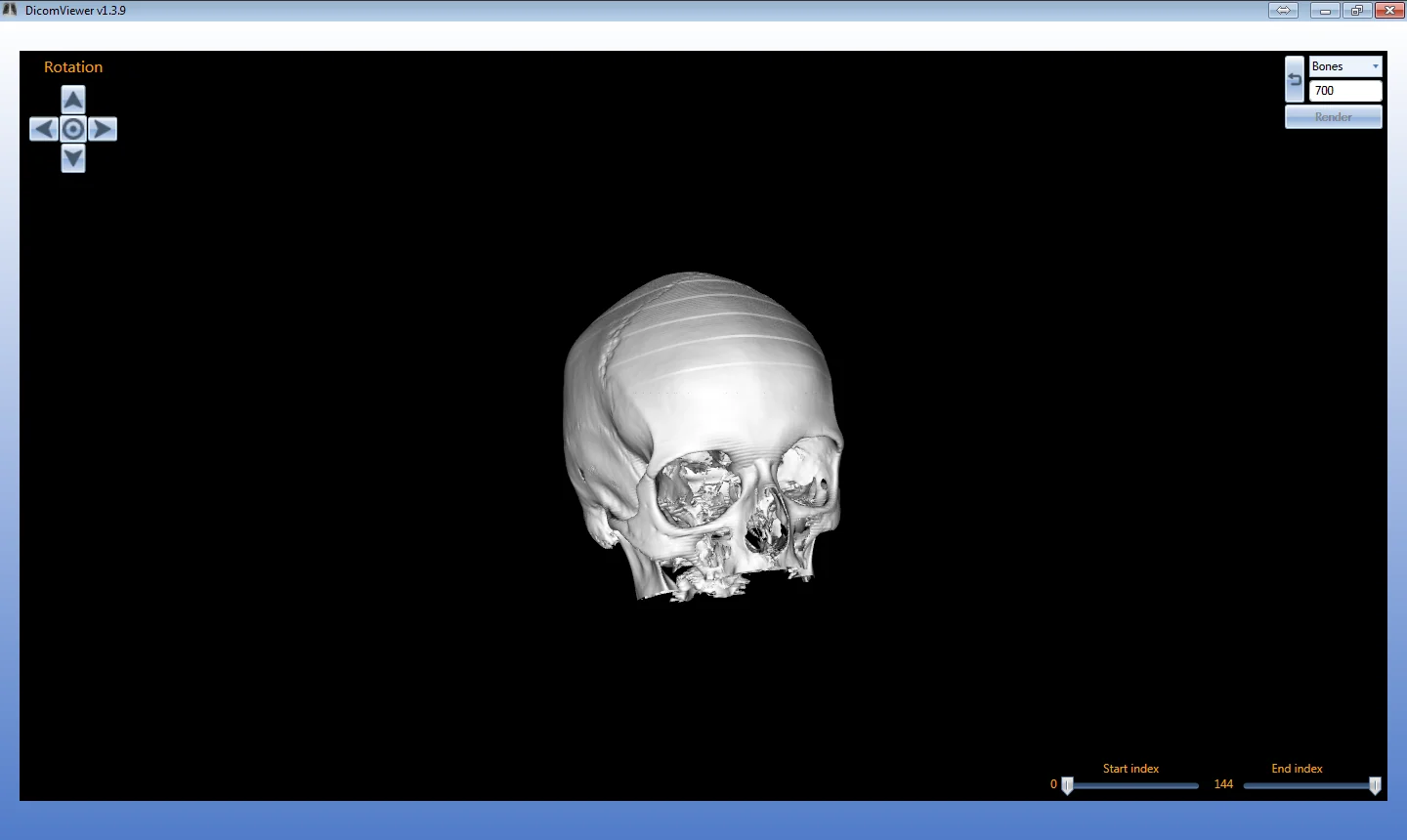
3D reconstruction of the series, rotated freely.
CT, MR, X-ray, ultrasound and angiography send their studies over DICOM.
Archives the images next to the equipment; several servers form a distributed archive.
Links the study to the patient and the visit and records the dose.
Radiologists review the series at their workstation.
Studies shared between institutions and for research.
DICOM Network is Galex Studio's network for exchanging medical images between institutions — for second opinions, online consultations and research. It started in Moldova (dicom.md) and is developed together with our partner RENAM.
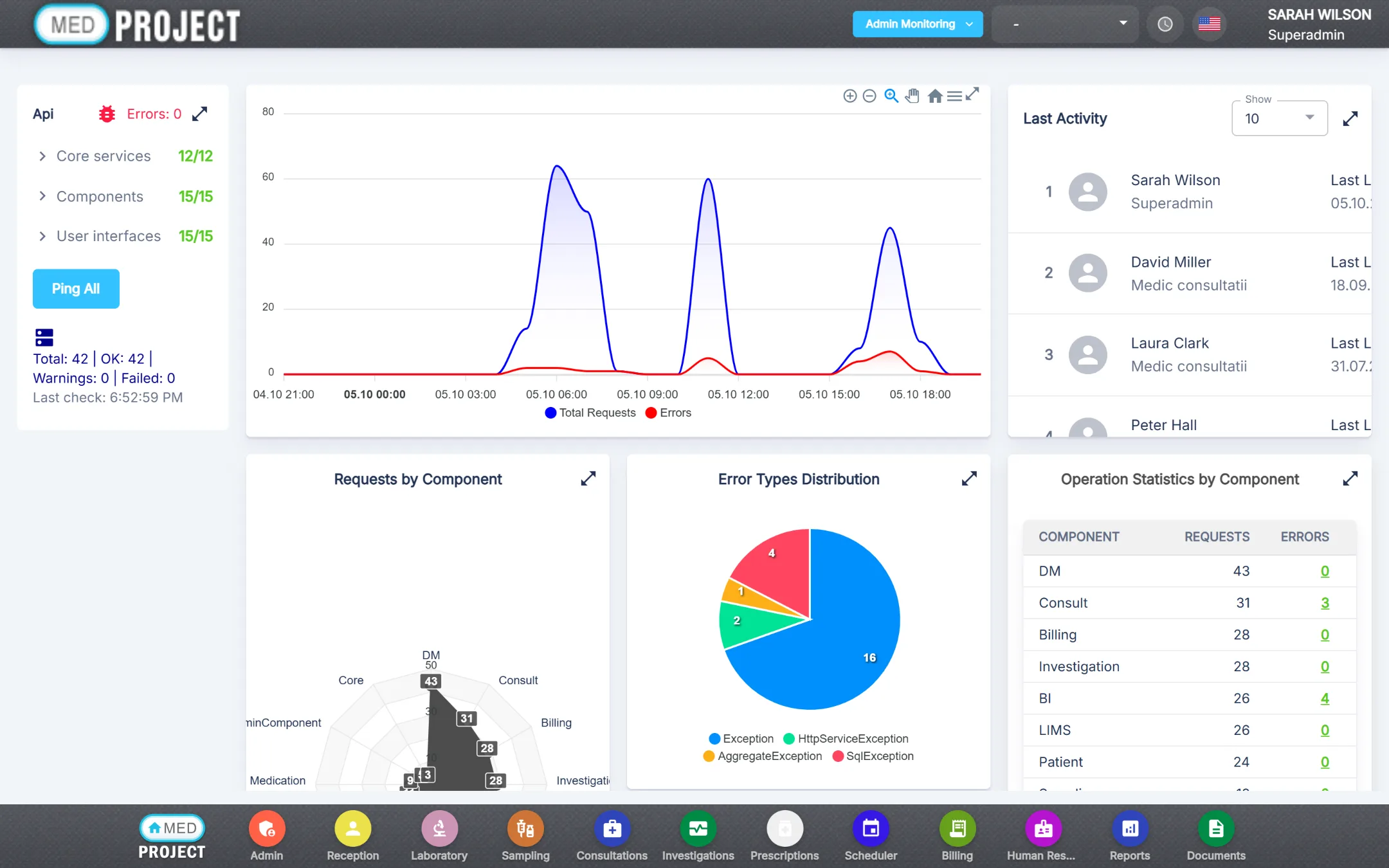
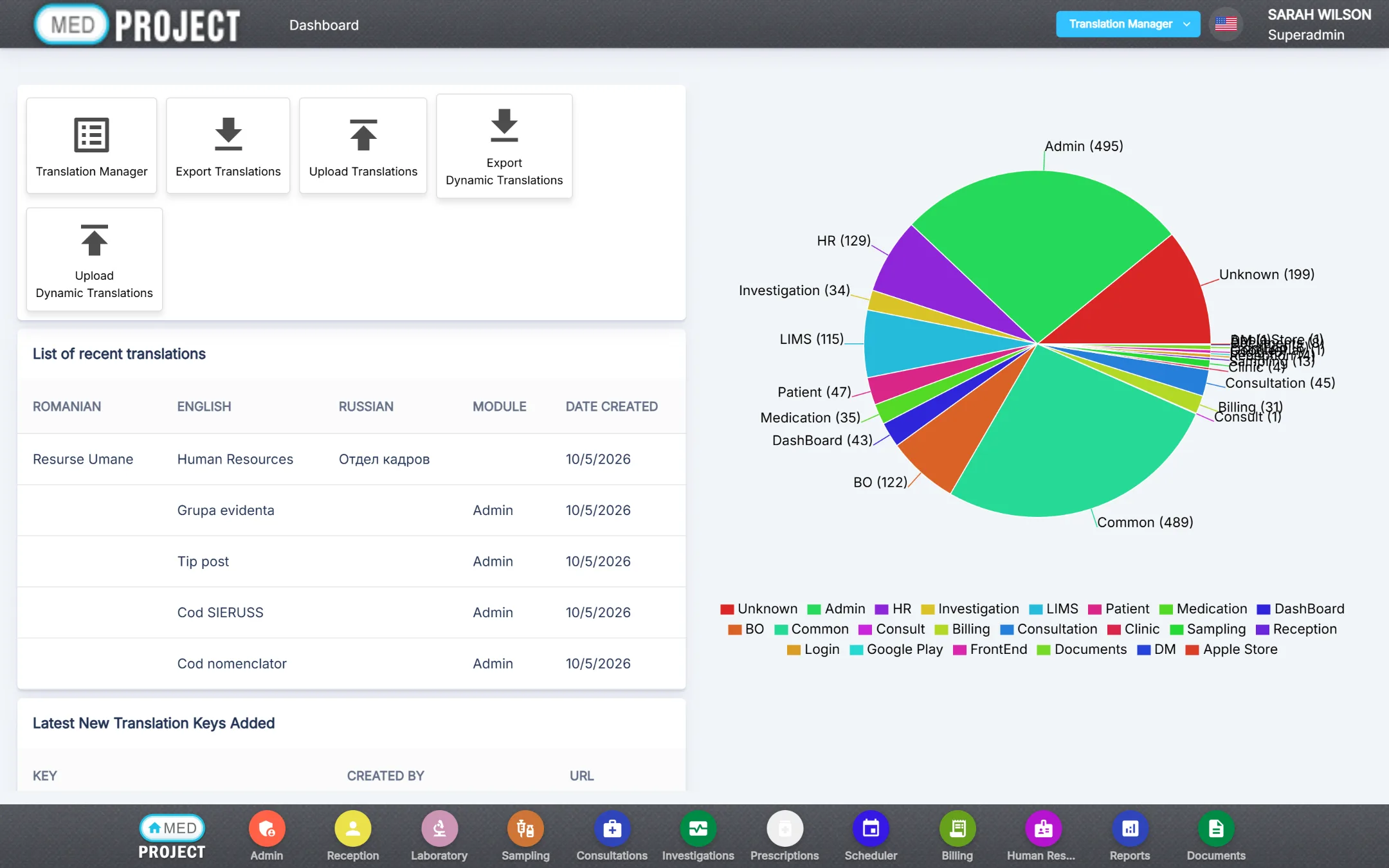
Administrators see the health of every service, manage the texts of the multilingual interface and can trace — and undo — every change.
The monitoring dashboard shows at a glance whether MedClinic is healthy and how it is used.
Every label of every module exists in all three built-in languages — Romanian, English and Russian — and the administrator can change it at any time.
Each time a record is created, changed or deleted, MedClinic saves a full copy of it with the user and the time.
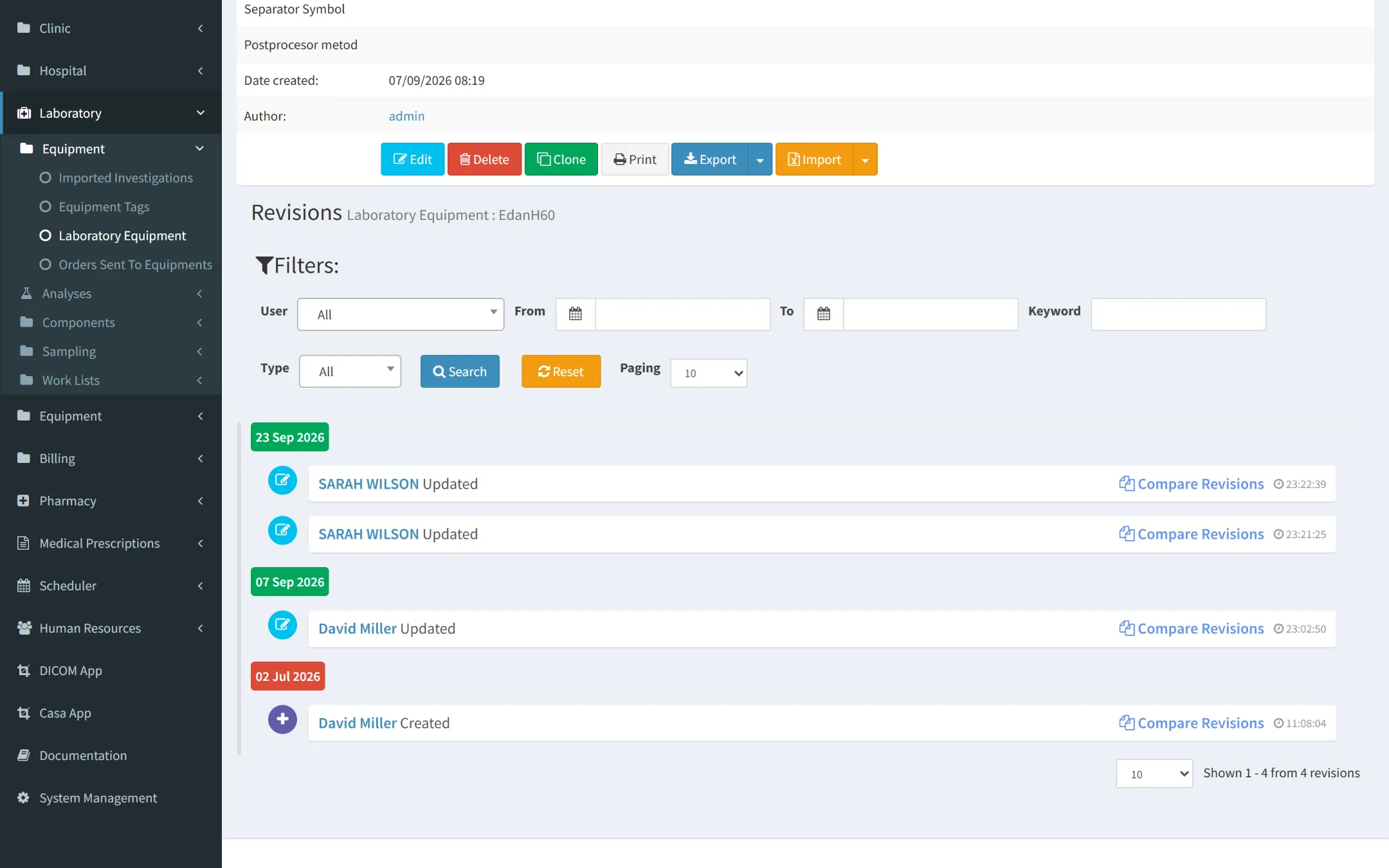
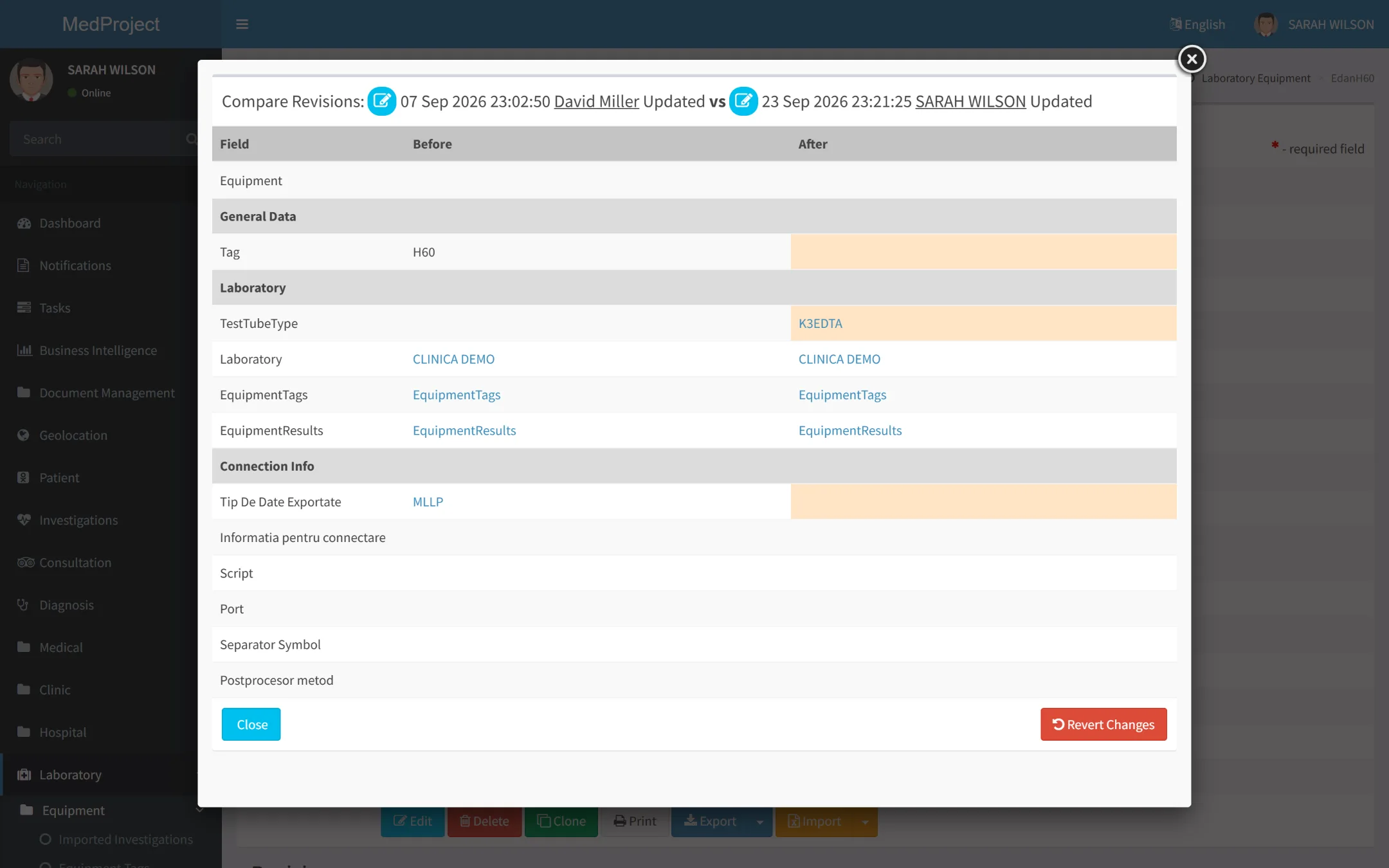
In MedClinic nothing disappears without a trace: every change is kept as a version, deleting only marks a record, and every document keeps its earlier files.
Layers that keep your data
Consultation sheets, receipts, consent forms, lab worklists and investigation reports are kept in one place, each attached to the right patient.
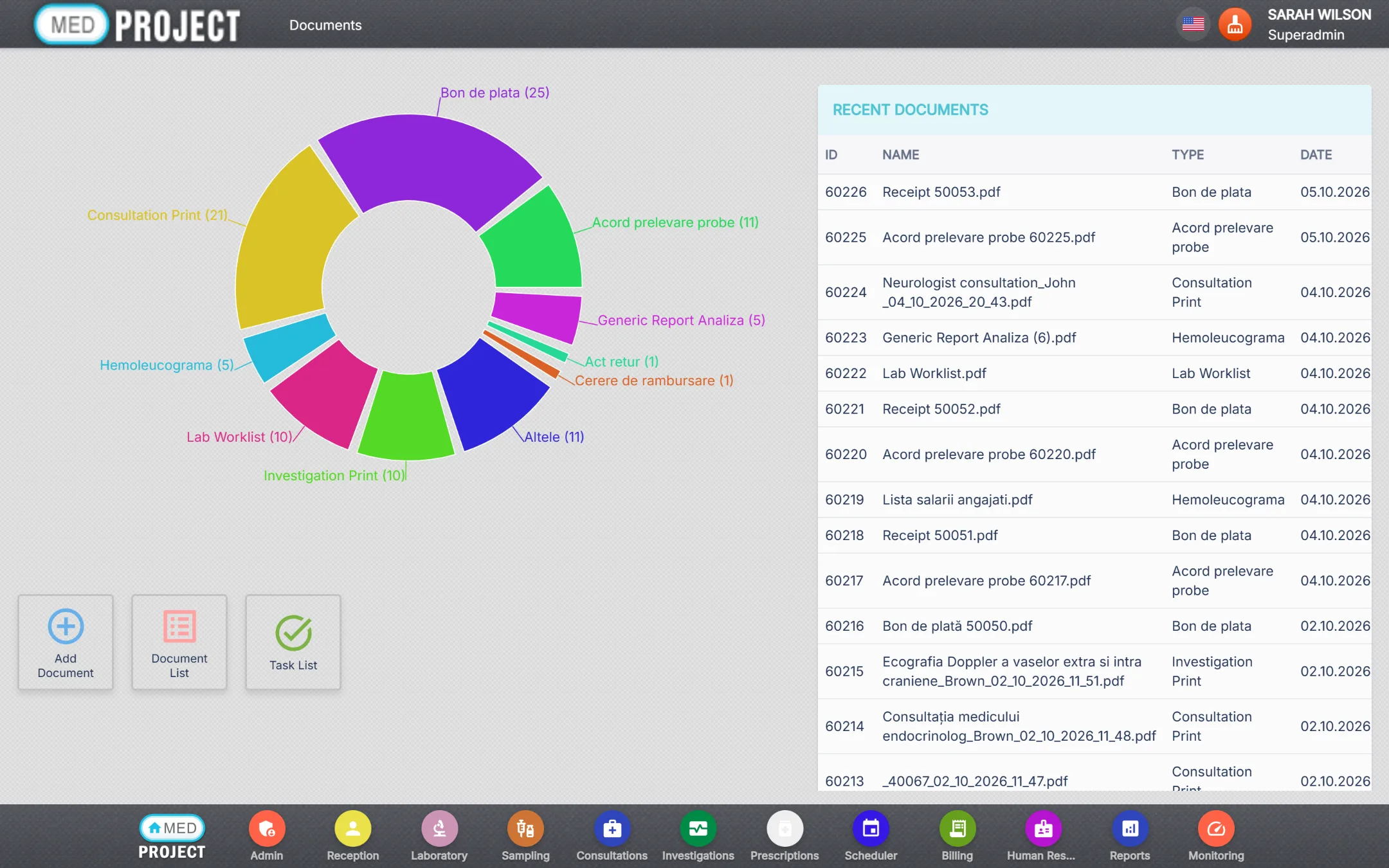
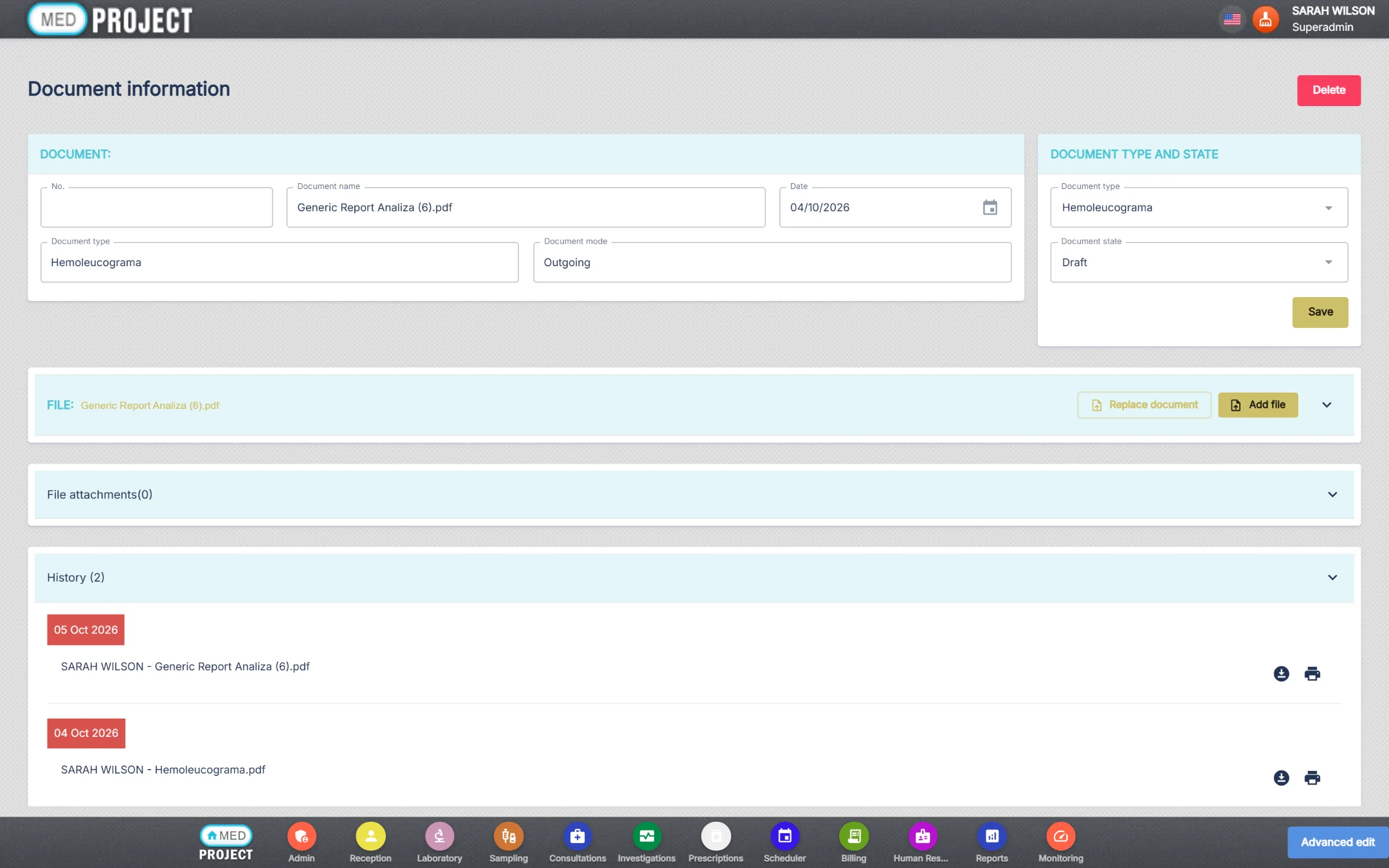
Replace a file and the earlier one stays in the document history, with who saved it and when.
Multilingual interface with Romanian, Russian and English built in, prices in MDL, IDNP-based patient records and Moldovan fiscal printers.
Reception, doctors, laboratory and cash desk work on the same record — no double entry, no lost paper.
Roles and permissions per module, Active Directory sign-in and a full log of operations.
We host it for you, or install it on your own Windows Server and SQL Server.
Add modules, locations and users without migrating to another system.
Galex Studio builds and supports MedClinic in Chișinău, with more than 50 software projects delivered.
Rent MedClinic by the month or by the year, or buy a licence. Every module has its own price.
Priced after a short analysis of your clinic.
Pick the modules and how you want to pay.
A small clinic usually goes live in 2–4 weeks; a clinic with its own laboratory in 6–10 weeks.
We map your services, prices, specialties and workflows.
Consultation types, documents, price lists, users and roles.
Patients and price lists imported from your previous system.
Role-based training for reception, doctors, lab and cash desk.
We are with you on launch day and support you afterwards.
No. MedClinic runs in a web browser. Only the fiscal printer at the cash desk uses a small desktop app, and lab analyzers connect through our integrator service.
With a subscription we host MedClinic for you, with daily backups. With a licence it can run on your own Windows Server and SQL Server, or on our hosting with maintenance from €300 a year.
Yes. Every module has its own price and works on the same patient record. Add modules at any time.
Sysmex, Mindray, Abbott Architect, Edan, Selectra, Boditech, DocUReader, SABIO and others, over ASTM and HL7. If yours is not on the list, we connect it as an add-on.
MedClinic is multilingual. Three languages are built in — Romanian, Russian and English — and each user picks their own.
No. Prices are per clinic and module, whatever the number of staff. Clinic networks and hospitals receive an individual offer.
Yes. We import patients, price lists and history as a one-time service; the price depends on the source and the volume.
Deleting only marks a record as deleted, every change is kept as a version you can compare and revert, and every earlier file of a document stays available. On our hosting the databases are also backed up daily.
Tell us about your clinic and we will prepare a demo with your specialties and services.